


Page 13 - MS Office
P. 13
   MS Paint


                                   े
               MS Paint म्हणज काय?
                       ➤      MS Paint हा Windows मध्य उपलब्ध basic graphics software आह.
                                                                                             े
                                                        े
                       ➤      फोटो बिवण, रगवण, कापण, साठवण यासाठी वापरला जातो.
                                                        े
                                                 े
                                                                े
                                         े
                                           ं

               MS Paint उघडण      े

                       ➤      Start Menu → Search → Type Paint → Enter


                       ➤      कक ं वा Run Box (Windows + R) → Type mspaint → Enter


                       ➤      MS Paint Window उघडेल


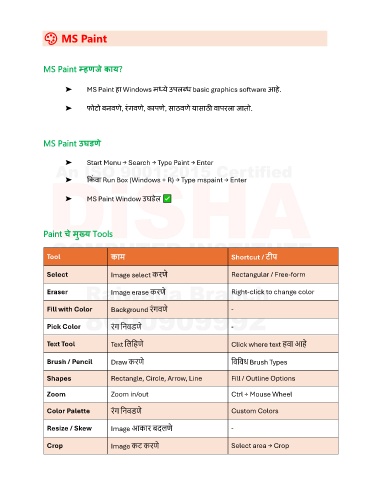
               Paint चे मुख्य Tools


                 Tool                 काम                                     Shortcut / टीप


                 Select               Image select करि  े                     Rectangular / Free-form

                 Eraser               Image erase करि   े                     Right-click to change color


                                                    िं
                 Fill with Color      Background रगवि   े                     -
                 Pick Color           रग ननवडि  े                             -
                                       िं

                 Text Tool            Text नलनहि  े                           Click where text हवा आह  े


                 Brush / Pencil       Draw करि   े                            नवनवध Brush Types

                 Shapes               Rectangle, Circle, Arrow, Line          Fill / Outline Options

                 Zoom                 Zoom in/out                             Ctrl + Mouse Wheel


                                       िं
                 Color Palette        रग ननवडि  े                             Custom Colors
                 Resize / Skew        Image आकार बिलि     े                   -


                 Crop                 Image कट करि    े                       Select area → Crop

